• Home
  • About
  • Services
  • Bossed Up PH

  • Programs
  • Resources
    • Blog
    • Tools
  • Shop
0

Bossed Up PH

Freelancing / Virtual Assistant

VA Basics: Time-Tracking 101

June 24, 2025

Have you heard other freelancers talk about “micromanagement”?

No, the time tracker isn’t to blame.

Micromanagement is for another discussion. Today, we will talk more about time-tracker and its use in the freelance industry.

So if you are an aspiring or newbie Virtual Assistant, this one is a must-know!

First things first.

What is Time Tracker?

It is a software that monitors the time you spend working on your computer so that you and your client can track the compensable hours.

It goes like this:

Your Work Hours * Your Rate Per Hour = Total Payment

⚙️ Here are some tools or software you can use to track your activity automatically:

  • Clockify
  • Toggl Track
  • Time Doctor
  • TimeCamp
  • Hubstaff

But you may also manually enter your work hours on these tools or even use spreadsheets.

But take note, not all clients are open to manual entry. They might prefer maximizing the use of a time tracker as it:

  • logs the times you begin and end working
  • records how much time or activity you spend using different applications and websites
  • captures your screen at regular intervals (e.g, every 10 minutes)

Is it necessary? Well, it depends.

On tasks where the focus is on quality and the output itself, you won’t need a time tracker.

As long as you deliver and meet the client’s expectations, it doesn’t matter whether you finish it fast or not.

⚙️ What are these tasks?

  • graphic design
  • video editing
  • website design
  • social media content creation
  • copywriting
  • and such work

Usually, freelancers offer a fixed or flat fee for projects like these.

But…

Time trackers are actually helpful and applicable to open-ended tasks. Yup, those kinds of tasks that don’t have a fixed completion time, like:
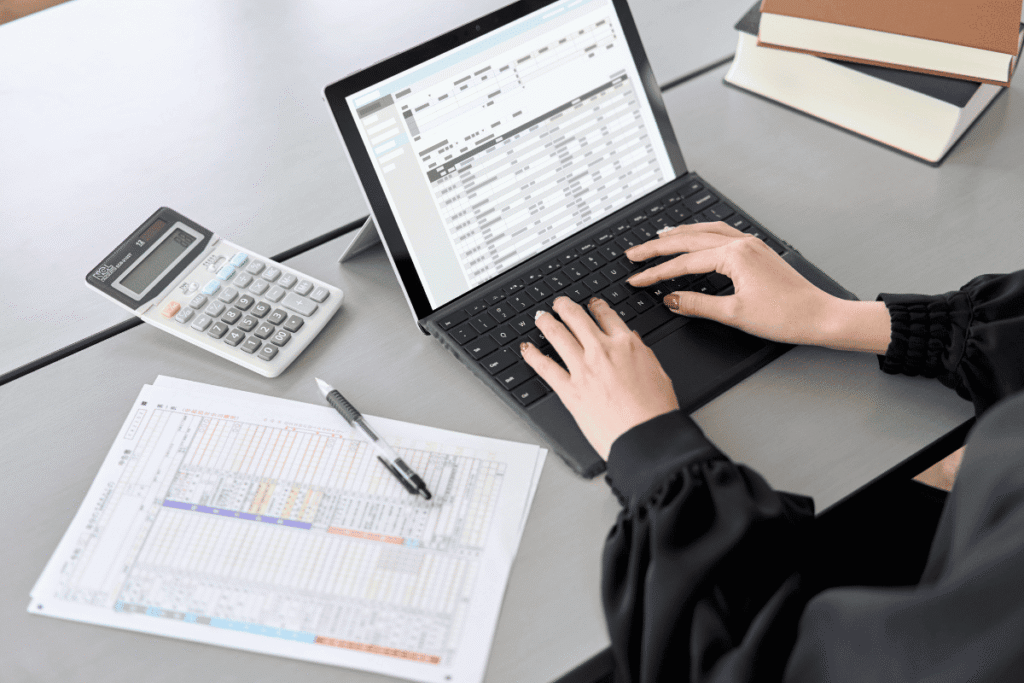
  • research
  • data entry
  • social media engagement (responding to comments and messages)
  • e-commerce order and returns coordination
  • and such admin tasks

So no, using a time-tracker doesn’t always necessarily mean we are being micromanaged. It actually can help both the client and freelancer track the time spent on specific tasks, ensuring accurate and fair payment.

Should you use one? It really depends on your agreement with the client.

If you are using platforms like Upwork, it’s already indicated on the job description.

But if you are working with direct clients, make sure you are clear about it before you start on any project.

Learn more about freelancing pricing strategies

TAGS:beginner time tracking guideexecutive assistant time trackinghow to log hours as a VAhow to track time as a virtual assistantremote work time trackingtime audit virtual assistanttime tracking basicstime tracking tools for VAstime tracking VAVA to track billable hoursvirtual assistant time tracker
Share

You May Also Like

August 18, 2025

How to Become a Reliable Virtual Assistant Even With ZERO Experience

September 15, 2025

The Future of Freelancing: How to Keep Your Job When AI Is Changing the Game?

November 10, 2025

Canva AI Features to Boss Up Your Design Process | Part 2

Instagram

Here's a list of AI tools you can explore for each specific task, Bosses!

Save the list 🔖

#aitools #aicontenttools #aiinfreelancing
•
Follow
Here's a list of AI tools you can explore for each specific task, Bosses! Save the list 🔖 #aitools #aicontenttools #aiinfreelancing
4 days ago
View on Instagram |
1/6
Some people think VA work is “just typing.”
It’s not 😅

VA tasks include:
📌 Managing and responding to emails
📌 Scheduling meetings
📌 Handling social media accounts
📌 Doing research and data entry
📌 Organizing files

Basically, you help business owners (clients) save time so they can focus on growing their business.

You don’t need to master everything agad.

For now, as an aspiring VA, just learn the basics of these tasks and understand ano ba talaga ang ginagawa ng isang General VA.

I have a free video where I talked about some of the tasks that I do for my clients.

If you wanna watch it, just comment “VA Tasks” below and it’ll be sent to you agad 💻
•
Follow
Some people think VA work is “just typing.” It’s not 😅 VA tasks include: 📌 Managing and responding to emails 📌 Scheduling meetings 📌 Handling social media accounts 📌 Doing research and data entry 📌 Organizing files Basically, you help business owners (clients) save time so they can focus on growing their business. You don’t need to master everything agad. For now, as an aspiring VA, just learn the basics of these tasks and understand ano ba talaga ang ginagawa ng isang General VA. I have a free video where I talked about some of the tasks that I do for my clients. If you wanna watch it, just comment “VA Tasks” below and it’ll be sent to you agad 💻
1 week ago
View on Instagram |
2/6
Here’s a list of things you can do if wala ka pang experience working online pero kailangan mo ng portfolio.

👉Do the task for your own freelance business and then screenshot your results or screen-record the process, store those sample works sa Google Drive/OneDrive/Dropbox, and share the folder link to your prospect client.

👉 Get feedback from mentors na na-enrollan mo and pwede din magrequest for a certificate. Though mas relevant ang feedback than certificates because you can use it as testimonials. So don’t forget to prioritize finishing the training para mabigyan ka talaga nila ng feedback.

👉 Build your own social media page so they can see your actual output and processes. Think of social media as your free marketing platform, Bosses!

And if you need more ideas on how you can build your online portfolio, just comment “BUP-PORTFOLIO” so I can send you the free guides.
•
Follow
Here’s a list of things you can do if wala ka pang experience working online pero kailangan mo ng portfolio. 👉Do the task for your own freelance business and then screenshot your results or screen-record the process, store those sample works sa Google Drive/OneDrive/Dropbox, and share the folder link to your prospect client. 👉 Get feedback from mentors na na-enrollan mo and pwede din magrequest for a certificate. Though mas relevant ang feedback than certificates because you can use it as testimonials. So don’t forget to prioritize finishing the training para mabigyan ka talaga nila ng feedback. 👉 Build your own social media page so they can see your actual output and processes. Think of social media as your free marketing platform, Bosses! And if you need more ideas on how you can build your online portfolio, just comment “BUP-PORTFOLIO” so I can send you the free guides.
2 weeks ago
View on Instagram |
3/6
If you wanna see progress sa freelancing journey mo bago mag-end ang Quarter 1 of 2026, I’ve sorted 4 videos para hindi ka ma-overwhelm.

After watching these videos, make sure to do the activity, Bosses, para may output talaga.

Resume? ✔️
Cover letter? ✔️
Intro video? ✔️
Scam awareness? ✔️

💻 In these 4 YouTube tutorials, I shared how to properly apply sa mga job posts para mas may chance kayong ma-hire and of course, para hindi rin kayo mascam ng mga fake “clients”. 

YOU CAN ACCESS THE FREE TUTORIALS SA COMMENTS 👇
If you wanna see progress sa freelancing journey mo bago mag-end ang Quarter 1 of 2026, I’ve sorted 4 videos para hindi ka ma-overwhelm.

After watching these videos, make sure to do the activity, Bosses, para may output talaga.

Resume? ✔️
Cover letter? ✔️
Intro video? ✔️
Scam awareness? ✔️

💻 In these 4 YouTube tutorials, I shared how to properly apply sa mga job posts para mas may chance kayong ma-hire and of course, para hindi rin kayo mascam ng mga fake “clients”. 

YOU CAN ACCESS THE FREE TUTORIALS SA COMMENTS 👇
If you wanna see progress sa freelancing journey mo bago mag-end ang Quarter 1 of 2026, I’ve sorted 4 videos para hindi ka ma-overwhelm.

After watching these videos, make sure to do the activity, Bosses, para may output talaga.

Resume? ✔️
Cover letter? ✔️
Intro video? ✔️
Scam awareness? ✔️

💻 In these 4 YouTube tutorials, I shared how to properly apply sa mga job posts para mas may chance kayong ma-hire and of course, para hindi rin kayo mascam ng mga fake “clients”. 

YOU CAN ACCESS THE FREE TUTORIALS SA COMMENTS 👇
If you wanna see progress sa freelancing journey mo bago mag-end ang Quarter 1 of 2026, I’ve sorted 4 videos para hindi ka ma-overwhelm.

After watching these videos, make sure to do the activity, Bosses, para may output talaga.

Resume? ✔️
Cover letter? ✔️
Intro video? ✔️
Scam awareness? ✔️

💻 In these 4 YouTube tutorials, I shared how to properly apply sa mga job posts para mas may chance kayong ma-hire and of course, para hindi rin kayo mascam ng mga fake “clients”. 

YOU CAN ACCESS THE FREE TUTORIALS SA COMMENTS 👇
•
Follow
If you wanna see progress sa freelancing journey mo bago mag-end ang Quarter 1 of 2026, I’ve sorted 4 videos para hindi ka ma-overwhelm. After watching these videos, make sure to do the activity, Bosses, para may output talaga. Resume? ✔️ Cover letter? ✔️ Intro video? ✔️ Scam awareness? ✔️ 💻 In these 4 YouTube tutorials, I shared how to properly apply sa mga job posts para mas may chance kayong ma-hire and of course, para hindi rin kayo mascam ng mga fake “clients”. YOU CAN ACCESS THE FREE TUTORIALS SA COMMENTS 👇
2 weeks ago
View on Instagram |
4/6
This is how I manage client tasks, my personal tasks, and my business to-do lists (without losing my mind 😆charot)

The key isssss ⚙️𝗽𝗿𝗼𝗷𝗲𝗰𝘁 𝗺𝗮𝗻𝗮𝗴𝗲𝗺𝗲𝗻𝘁 𝘁𝗼𝗼𝗹𝘀!

Actually, maraming pwede pero ang 3 na usually gamit ko with clients are these:

👉𝗧𝗿𝗲𝗹𝗹𝗼: best for non-techy clients
simple boards, easy task-tracking, minimal setup

👉𝗔𝘀𝗮𝗻𝗮: best for complex projects
clear timelines, step-by-step task flow, and progress tracking

👉𝗨𝗽𝗯𝗮𝘀𝗲: best for techy clients
detailed planning, tasks, docs, and daily organization in one place

I’ve created a playlist for Project Management.
If you want, I can send it to you!

Comment “Project Management” if you’re interested, Bosses 💻
•
Follow
This is how I manage client tasks, my personal tasks, and my business to-do lists (without losing my mind 😆charot) The key isssss ⚙️𝗽𝗿𝗼𝗷𝗲𝗰𝘁 𝗺𝗮𝗻𝗮𝗴𝗲𝗺𝗲𝗻𝘁 𝘁𝗼𝗼𝗹𝘀! Actually, maraming pwede pero ang 3 na usually gamit ko with clients are these: 👉𝗧𝗿𝗲𝗹𝗹𝗼: best for non-techy clients simple boards, easy task-tracking, minimal setup 👉𝗔𝘀𝗮𝗻𝗮: best for complex projects clear timelines, step-by-step task flow, and progress tracking 👉𝗨𝗽𝗯𝗮𝘀𝗲: best for techy clients detailed planning, tasks, docs, and daily organization in one place I’ve created a playlist for Project Management. If you want, I can send it to you! Comment “Project Management” if you’re interested, Bosses 💻
4 weeks ago
View on Instagram |
5/6
💰 If you wanna know how to rate your freelance service,
I have a video where I talked about these 5 points, Bosses.

Feel free to access it sa comments 💻
•
Follow
💰 If you wanna know how to rate your freelance service, I have a video where I talked about these 5 points, Bosses. Feel free to access it sa comments 💻
1 month ago
View on Instagram |
6/6
View on Instagram

Copyright © 2026 Bossed Up PH. All Rights Reserved.Site Powered by Pix & Hue.