
Imagine a potential client asks ChatGPT:
“Who are the best social media managers in the Philippines?”
Or they ask Claude:
“Recommend a Filipino freelancer who specializes in AI automation.”
Does your profile appear in the list?
For years, we’ve been focused on getting our websites to rank on Google.
Yes, that’s still important. But the thing is…people aren’t just Googling anymore.
They are asking ChatGPT, Claude, Perplexity, Gemini.
So, instead of clicking through ten different websites, many users (including me) now ask AI to give a direct answer.
That means our goal now as a freelancer, content creator, consultant, or business owner is no longer just to rank on Google. Our goal is to become one of the sources AI recommends.
This is where Generative Engine Optimization (GEO) comes in.
And yes, you can offer this as a service too, Bosses!
How Do You Measure Your AI Visibility?
Now, you might be wondering:
“Okay, AI visibility is important. But how do I actually check if AI recommends me?”
Option 1: Check Manually
The simplest way is to open AI tools like ChatGPT, Claude, Gemini, or Perplexity and ask questions that your potential customers would normally ask.
Option 2: Use a Tool Like Semrush
If you want a faster and more data-driven way to monitor your AI visibility, tools like Semrush can help.
Most people know Semrush for SEO, but it now has features that can help us see how our brand appears in AI-generated responses.
Semrush Features We Can Maximize
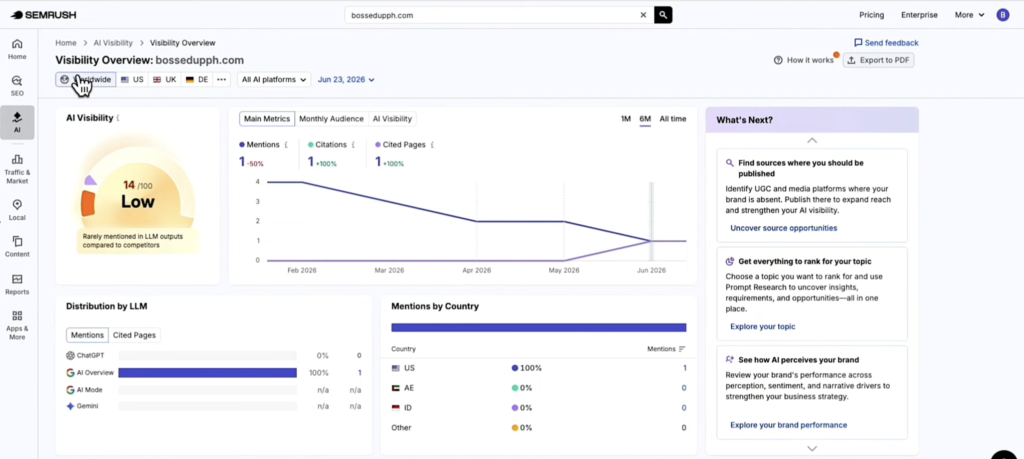
1. Check AI Visibility
With this feature, we can see how often AI tools mention our brand or our client’s brand.
This gives a clearer picture of whether your/your client’s site content is actually reaching users who ask AI instead of Google.
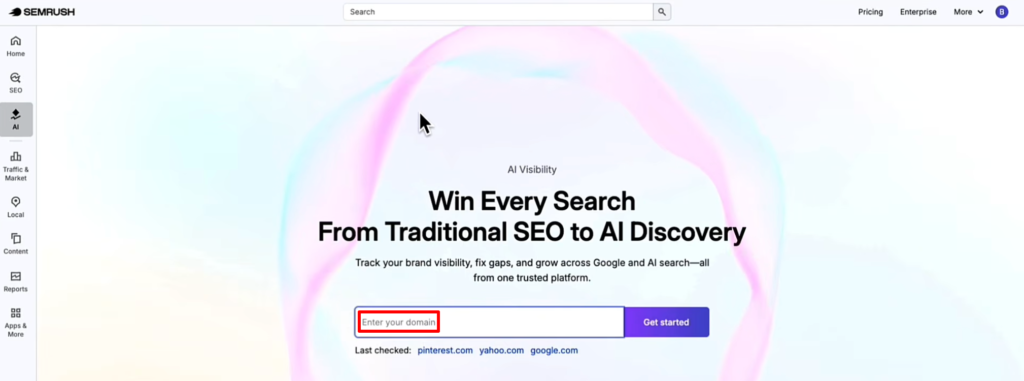
And it’s very easy to do with Semrush! We just go to the AI tab and enter the domain.
2. Analyze Competitors
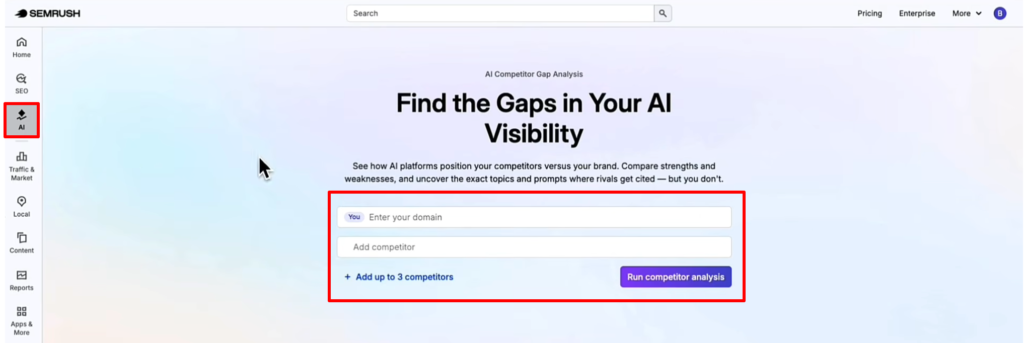
Semrush also lets us compare our domain with our competitors so we can identify:
- Where they’re getting mentioned
- Which topics they’re associated with
- Their strengths and weaknesses
- Opportunities where our brand can stand out
This can save us hours of manual research!
3. Connecting Semrush MCP with AI tools
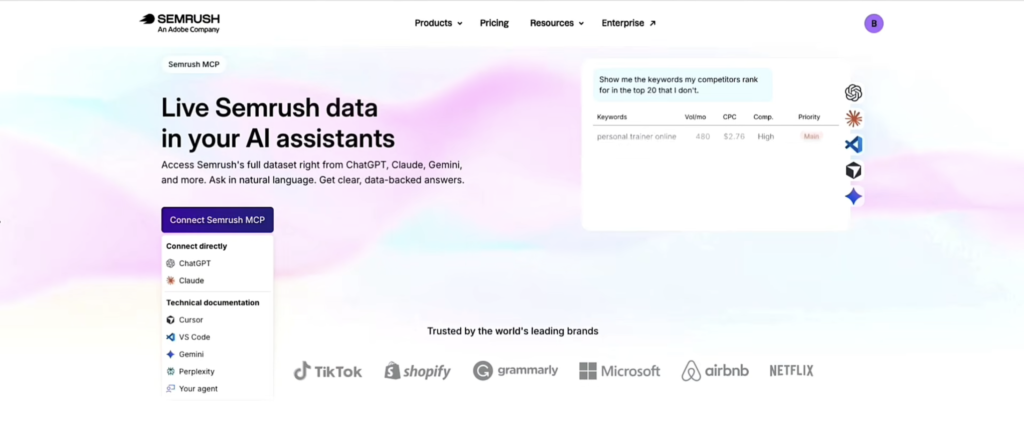
Just think of Semrush MCP (Model Context Protocol) Server as a bridge between Semrush and AI assistants like ChatGPT and Claude.
So, instead of opening multiple tabs and jumping between different SEO tools, we can connect Semrush to AIs like ChatGPT or Claude, then simply type in our questions.
AI will use Semrush’s data to generate insights, keyword ideas, competitor analysis, and recommendations.
Yup! All within a single conversation.
How to Improve AI Visibility Score?
Now that you know how to see your AI visibility score and you’ve connected Semrush to your AI assistant, it’s time to export the data and ask AI for an action plan.
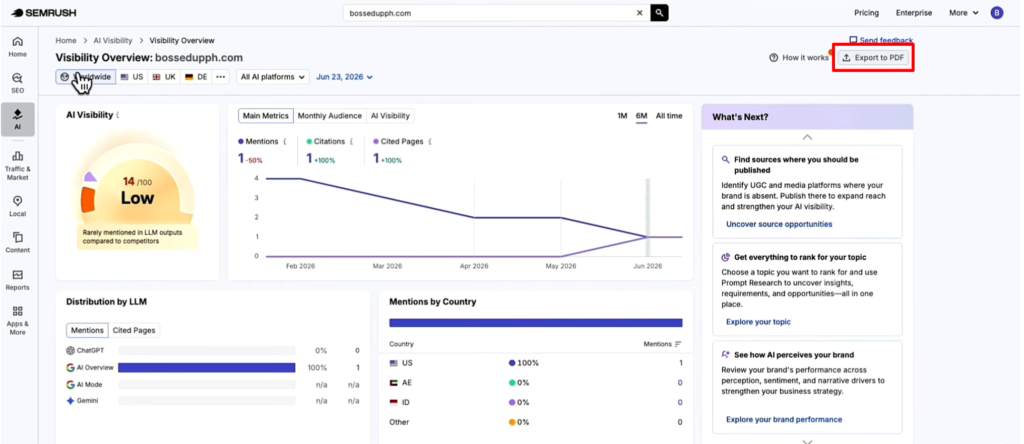
Yup, you can ask AI to analyze the data and turn it into a clear action plan so you can apply it to your business, or you can send it to prospect clients as an AI Visibility Audit for their website.
For example, you can ask:
“Based on my Semrush data, create a 90-day action plan to improve my AI visibility.”
Or try prompts like:
- “What are the biggest gaps in my content strategy?”
- “Which topics should I prioritize to increase my chances of being recommended by AI?”
- “Compare my AI visibility with my top competitors and identify quick wins.”
- “Create a weekly content plan based on my keyword opportunities.”
- “What pages should I optimize first for both SEO and AI visibility?”
So, instead of spending hours interpreting reports, AI can summarize the insights and recommend the next steps based on your exported Semrush data.
But that doesn’t mean we should follow every recommendation without reviewing it.
AI is there to help us analyze information faster, but not to replace our judgment or strategy as freelancers/business owners.
A lot of businesses are still figuring out AI visibility, and many haven’t even started paying attention to it yet. That means we still have time to learn, practice, and build this skill, Bosses!